
How to Build Your First Kotlin Multiplatform App: A Step-by-Step Tutorial
The Third Option: Why Kotlin Multiplatform Beats "Write Once, Run Anywhere"
You have a working Android app in Kotlin. Stakeholders are asking when iOS ships. The choices look binary: rebuild from scratch in Swift (three to six months of duplicated work that will drift the moment Android adds a feature), or adopt Flutter or React Native and accept a runtime layer that compromises performance and pulls UI away from platform conventions. There's a third option, and it's what this kotlin multiplatform app guide walks through end-to-end: share business logic in Kotlin, write UI natively in SwiftUI and Jetpack Compose, ship near-native binaries via Kotlin/Native.
KMP is production-validated. Companies including H&M, Meituan (cross-platform since 2020), Kuaishou (2+ years in production), and Down Dog ship Kotlin Multiplatform code today, per Kotlin Case Studies. The model is what the Kotlin Multiplatform Documentation calls "shared business logic + platform-specific UI" — and what makes performance close to native Swift is that Kotlin/Native compiles ahead-of-time to platform-specific binaries, not to a runtime VM.
This guide assumes Kotlin/Android familiarity and walks through a complete KMP build — architecture decisions, project setup, shared logic, native UI integration, platform-specific code, and deployment to both stores.

Table of Contents
- Before You Code: Which Layers Actually Belong in Shared Kotlin
- Project Setup in 15 Minutes: IDE, Gradle, and the First Build
- Building the Shared Logic Layer: API Client, Models, and the expect/actual Pattern
- Connecting Jetpack Compose and SwiftUI to Your Shared ViewModels
- Platform-Specific Code Done Right: Storage, Permissions, and Device Hooks
- Shipping a Kotlin Multiplatform App: Local Testing, CI/CD, and Release Builds
- Kotlin Multiplatform Launch Checklist: What to Verify Before You Commit
Before You Code: Which Layers Actually Belong in Shared Kotlin
The central architectural rule of any successful kotlin multiplatform app: share business logic, keep UI native. Projects fail when teams force the UI layer into shared code to chase a higher "code reuse percentage" number — the metric that nobody ships to users. The Kotlin Multiplatform Documentation is explicit on this: the recommended pattern is shared business logic with platform-specific UI.
Walk every layer of your app through the share/don't-share decision before you write a Gradle file.
| Layer | Share in commonMain? | Why | Tooling |
|---|---|---|---|
| Networking | ✅ Yes | One HTTP stack, automatic native binding | Ktor + kotlinx.serialization |
| Data models & validation | ✅ Yes | Pure Kotlin, zero platform coupling | Kotlin data classes |
| Local persistence | ⚠️ Interface only | Each platform has a best-fit DB | SQLDelight or expect interface |
| UI | ❌ No (default) | Platform conventions and accessibility matter | Jetpack Compose + SwiftUI |
Networking is the cleanest win. Ktor compiles to OkHttp on Android and NSURLSession on iOS automatically — you write one HTTP client, configure interceptors and timeouts once, and the platform engine attaches at build time. JSON parsing via kotlinx.serialization is also shared. There is no defensible reason to write this twice.
Data models and validation are the highest ROI in the entire codebase. Pure Kotlin data classes, validation rules, business invariants — none of this touches the OS. A pricing rule, a checkout total calculation, a phone-number validator: write it once, test it once, ship it twice.
Local persistence is where teams over-share and regret it. The pragmatic pattern is to share the interface in commonMain and let each platform pick its best-fit database. SQLDelight is the recommended cross-platform choice when you want one schema to compile to both targets. But forcing a single DB technology across iOS and Android creates more friction than it solves — particularly when you have security or compliance constraints on one platform that the other doesn't share. The iLeaf KMP Fintech case study describes exactly this approach for security-sensitive data: shared interface, native implementation per platform.
UI is the layer to keep native by default. Compose Multiplatform exists and is improving, but in production it still trades platform conventions — haptics, navigation idioms, accessibility behaviors — for a code-reduction number. The iLeaf case study explicitly notes UIKit fallbacks were needed for complex iOS components like maps and video. If your app uses any platform-distinctive interaction (iOS swipe-back, Android predictive back, VoiceOver semantics, system share sheets), shared UI will cost you more in workarounds than it saves in lines of code.
A concrete example. For an e-commerce app, the split looks like this:
- Shared: API client, product/cart/order models, pricing logic, validation, auth token management
- Native: Checkout flow UI, push notification handlers, biometric prompts, payment sheets (Apple Pay, Google Pay)
The heuristic to internalize: if a layer touches the OS, the user, or platform conventions, keep it native. If it touches data, business rules, or the network, share it. Production-ready Networking and Local Database modules are available pre-configured if you want to skip the boilerplate on the share-it side and focus your team's time on what's distinctive about your app.
Kotlin Multiplatform succeeds when you share business logic and let the UI stay native. Trying to share the UI layer is where most projects fail.
Project Setup in 15 Minutes: IDE, Gradle, and the First Build
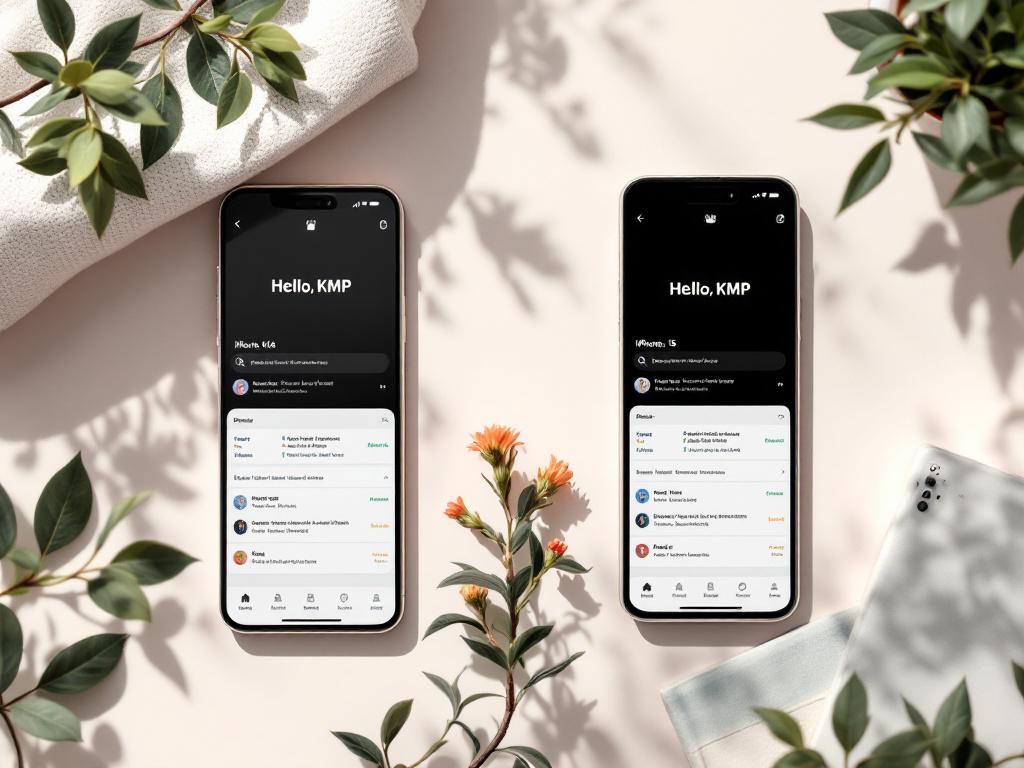
From an empty machine to "Hello, KMP" running on both simulators is a fifteen-minute exercise if you follow the path JetBrains has paved. Each step below has a purpose — read the "why" before copying the command.
1. Install the Kotlin Multiplatform plugin in Android Studio. Go to Preferences → Plugins → Marketplace → search "Kotlin Multiplatform" (officially maintained by JetBrains). Install and restart Android Studio. macOS is required for iOS builds because Xcode is required — there is no path around this. The plugin handles Kotlin/Native toolchain installation automatically on first use, which means your first iOS build will spend an extra minute or two pulling the native compiler.
2. Create a new project from the Kotlin Multiplatform template.
File → New → New Project → "Kotlin Multiplatform App" → set your application ID (e.g., com.yourcompany.appname), select "Regular framework" for iOS integration. Regular framework is simpler than CocoaPods integration and is the right default for new projects. Choose CocoaPods only if you have an existing iOS app with a Podfile you need to merge into.
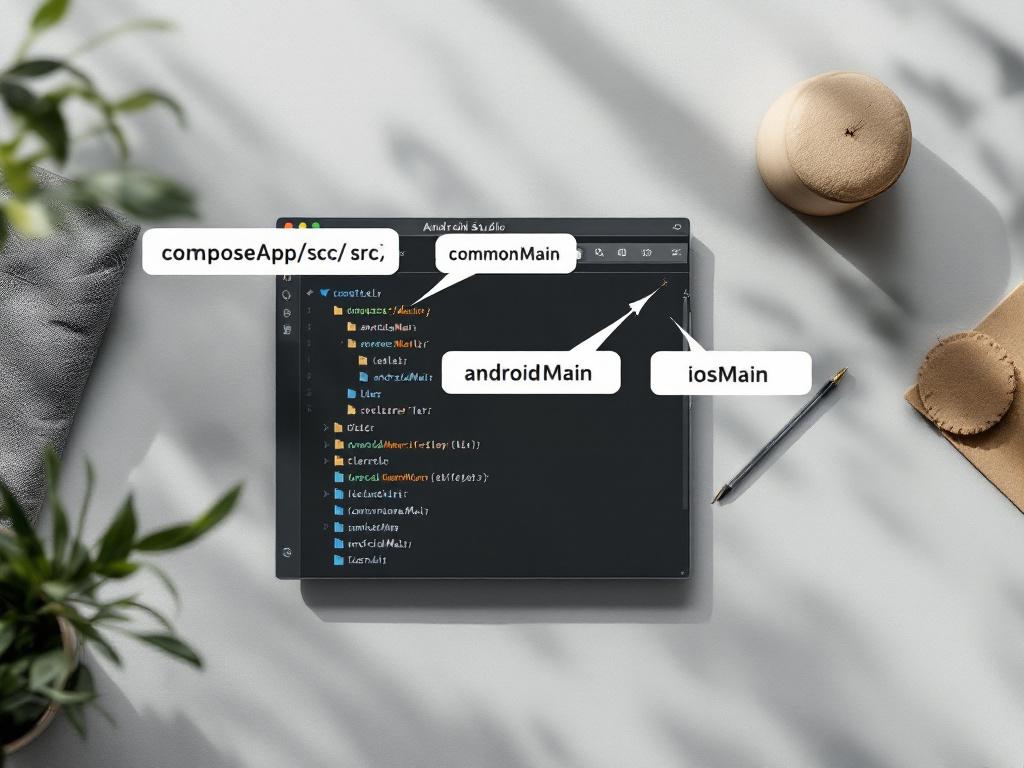
3. Understand the folder structure that gets generated. The wizard creates a layout that looks unfamiliar at first but maps cleanly to the share/native split:
composeApp/src/commonMain/kotlin/— shared Kotlin code; runs on both platformscomposeApp/src/androidMain/kotlin/— Android-only code; can use the Android SDKcomposeApp/src/iosMain/kotlin/— iOS-only Kotlin code; can use iOS frameworks via Kotlin/Native interopiosApp/— actual Xcode project; contains the SwiftUI entry point andAppDelegatecomposeApp/build.gradle.kts— Gradle configuration withkotlin { androidTarget(); iosX64(); iosArm64(); iosSimulatorArm64() }source set declarations
The four iOS targets in the Gradle block matter: iosX64 (Intel simulator), iosArm64 (physical devices), and iosSimulatorArm64 (Apple Silicon simulator). Drop one and your build will fail on a teammate's machine that has the dropped architecture.
4. Configure shared dependencies in commonMain.
Add Ktor and kotlinx.serialization. The platform engines are added in their respective source sets — this is what makes the HTTP stack native on each platform without you writing bridging code:
sourceSets {
    commonMain.dependencies {
        implementation("io.ktor:ktor-client-core:2.3.7")
        implementation("io.ktor:ktor-client-content-negotiation:2.3.7")
        implementation("io.ktor:ktor-serialization-kotlinx-json:2.3.7")
    }
    androidMain.dependencies {
        implementation("io.ktor:ktor-client-okhttp:2.3.7")
    }
    iosMain.dependencies {
        implementation("io.ktor:ktor-client-darwin:2.3.7")
    }
}
The ktor-client-okhttp dependency in androidMain and ktor-client-darwin in iosMain are the platform engines. At runtime, your shared HttpClient uses OkHttp on Android and NSURLSession on iOS — one API surface, two native implementations.
5. Run on both simulators to verify.
Android: select the composeApp run configuration, pick a simulator, click Run. iOS: open iosApp/iosApp.xcodeproj in Xcode, select an iOS simulator, Cmd+R. Expect the first iOS build to take 30–90 seconds because Kotlin/Native compiles ahead-of-time; subsequent builds are cached and feel like normal Xcode builds.
If the iOS build fails on first run, the most common cause is missing Xcode Command Line Tools (xcode-select --install) or an outdated Kotlin plugin. The second most common is a Kotlin version mismatch between the project and the installed plugin — bump them in lockstep.
If you'd rather skip the boilerplate setup entirely, starter templates ship with this scaffolding plus authentication, navigation, and CI/CD pre-wired.
Building the Shared Logic Layer: API Client, Models, and the expect/actual Pattern
This is the longest section because it's where the leverage lives. The setup steps above buy you a project that compiles. The real return on KMP comes from what you put in commonMain. The walkthrough below builds a small but realistic shared module — a weather API client — and uses it to teach three things: shared HTTP code, the expect/actual mechanism, and shared testing.
The Data Model
Declare a @Serializable Kotlin data class in commonMain:
@Serializable
data class WeatherResponse(
    val city: String,
    val temperatureCelsius: Double,
    val conditions: String
)
The @Serializable annotation (from kotlinx.serialization) generates JSON encoding and decoding at compile time. There's no reflection, which matters because Kotlin/Native restricts reflection on iOS. The same generated code works identically on Android JVM and iOS Kotlin/Native — one annotation, two targets, zero runtime cost.
The Shared API Client
class WeatherApi(private val client: HttpClient) {
    suspend fun getWeather(city: String): WeatherResponse =
        client.get("https://api.example.com/weather") {
            parameter("city", city)
        }.body()
}
HttpClient is from Ktor. The platform-specific engine you wired up in the Gradle file is injected at construction. The same WeatherApi class compiles to JVM bytecode for Android and to a native iOS framework for iOS — and it's the same source file. If you want a production-configured Ktor client with retry, auth header injection, and error handling already wired, that's the kind of plumbing worth not writing twice.
The expect/actual Pattern
When shared code needs something only the platform can provide — the OS version, a unique device ID, the current locale's region — the mechanism is expect/actual. A concrete example: getting the platform name for analytics or logging.
In commonMain:
expect fun platformName(): String
In androidMain:
actual fun platformName(): String =
    "Android ${android.os.Build.VERSION.RELEASE}"
In iosMain:
actual fun platformName(): String =
    UIDevice.currentDevice.systemName() + " " +
    UIDevice.currentDevice.systemVersion
The contract: expect declares an API in shared code; actual provides the platform-specific implementation. The compiler verifies every expect has a matching actual for every target. Miss one and the build fails — which is the right behavior, because a missing implementation at runtime would be a crash on user devices. This mechanism is documented in the Kotlin Multiplatform Documentation as the official way to express platform differences.

Shared Testing
Tests written in composeApp/src/commonTest/kotlin/ execute on both platforms automatically. A test of WeatherApi (using a mock HttpClient) runs once when you execute ./gradlew check and validates behavior on both Android JVM and iOS Kotlin/Native targets. This is the test multiplier that makes KMP economics work — and it's why teams that adopt KMP often report the strongest gains in the second and third feature, not the first.
The iLeaf fintech case study notes that shared business logic in their app includes "data models, network communication via Ktor, and business rules" — precisely the layer that's cheaply testable in one place. See iLeaf for their architectural breakdown.
The real time savings aren't in writing the first feature. They're in the second, third, and fifth features you build without duplicating logic across two codebases.
The Most Common Mistake
Junior teams try to put platform-specific code — Android Context, iOS UIViewController — into commonMain directly and end up with expect declarations that wrap entire feature areas. Within a few sprints the shared module becomes a thin wrapper around two parallel platform implementations, with all the cost of indirection and none of the benefit of sharing.
The correct pattern is the inverse: keep shared code free of platform types entirely. Let platform code call into shared code, not the other way around. If shared code needs a platform capability, express it as a small Kotlin interface in commonMain (e.g., interface AnalyticsTracker) and let each platform provide its own implementation. The shared code stays pure Kotlin; it never imports android.* or platform.* types directly.
This rule sounds restrictive on day one and feels obvious by month three.
Connecting Jetpack Compose and SwiftUI to Your Shared ViewModels
How each platform consumes shared code is asymmetric. Android consumption is trivial — it's all Kotlin. iOS consumption requires understanding the Kotlin/Native bridge, and this is where iOS developers without prior Kotlin exposure hit their first real friction.
The architecture pattern that holds up in production: shared ViewModel-style classes in commonMain expose state via Kotlin Coroutines StateFlow. Both UIs subscribe to that flow.
| Concern | Android (Jetpack Compose) | iOS (SwiftUI) |
|---|---|---|
| Consume shared ViewModel | Direct Kotlin instantiation via DI (Koin) | Swift wrapper class injecting Kotlin VM |
| Observe state | collectAsStateWithLifecycle() on StateFlow | KMP-NativeCoroutines or SKIE → @Published |
| Trigger actions | Call ViewModel methods directly | Same — exported as Obj-C methods |
| Threading model | Coroutines on Dispatchers.Main | Coroutines bridge to Swift MainActor |
| Common pitfall | Holding ViewModel longer than the Composable | Forgetting to cancel observations on view disappear |
On Android, the flow is what you'd expect: inject the shared ViewModel into a Composable using your DI framework (Koin works well across KMP), collect StateFlow with collectAsStateWithLifecycle(), render Material 3 components against that state. No bridging code. No wrappers. Just Kotlin calling Kotlin.
On iOS, the bridge is real work. Kotlin/Native exports the shared module as an Objective-C-compatible framework. Swift sees WeatherViewModel as a regular class, but with Objective-C-style method signatures. The complication is that StateFlow doesn't bridge cleanly to SwiftUI's reactive primitives. The ecosystem solution is SKIE or KMP-NativeCoroutines, libraries that generate Swift-friendly wrappers (AsyncSequence, Combine.Publisher). In SwiftUI you observe via @StateObject on a Swift wrapper that exposes @Published properties forwarded from the shared ViewModel.

This asymmetry is the single biggest onboarding tax for iOS developers new to KMP. The YouTube discussion "Why iOS Devs Struggle with KMP" covers the friction in depth and is worth circulating to your iOS team before you commit to the architecture. Knowing the shape of the learning curve up front lets you budget for it.
Three reasons to keep UI native rather than reaching for Compose Multiplatform on iOS.
Accessibility is non-negotiable and platform-specific. VoiceOver on iOS and TalkBack on Android have different semantic models, different gesture vocabularies, and different user expectations. SwiftUI's accessibility modifiers map directly to UIKit accessibility primitives that Apple's QA tools inspect. A shared UI layer either re-implements both accessibility models (expensive) or compromises one (unacceptable for any app subject to ADA or EU accessibility standards).
Platform conventions cost more than they look. iOS swipe-back, Android predictive back, system share sheets, haptic feedback patterns, and keyboard handling all differ in ways users notice without being able to articulate. Production-ready cross-platform navigation that respects iOS swipe-back and Android predictive back is one of the harder pieces to get right, which is why most teams keep navigation native even when sharing other layers.
The shared ViewModel pattern prevents the most common KMP failure mode — business logic accidentally duplicated inside SwiftUI views. When a developer is unsure whether a piece of logic belongs in the Kotlin ViewModel or the SwiftUI View, the answer is almost always the ViewModel. The discipline of "view does rendering, ViewModel does everything else" is what makes the shared layer earn its keep over time.
Platform-Specific Code Done Right: Storage, Permissions, and Device Hooks
Three platform-touching concerns, each with the shared/native split spelled out. The pattern repeats: define a Kotlin interface in commonMain that describes the capability; implement it natively in androidMain and iosMain.
Networking. Ktor handles this almost transparently. The shared HttpClient configuration lives in commonMain; the platform engine (ktor-client-okhttp on Android, ktor-client-darwin on iOS, configured during project setup) is automatically picked up. You write zero expect/actual code for networking. SSL pinning, timeouts, retries, and interceptors are configured once in shared code and apply on both platforms. This is the cleanest example of "share once, ship native" in the KMP ecosystem and the layer where the time savings show up first.
Local Storage. Three viable patterns, and the right one depends on your data:
- SQLDelight (recommended for most apps). Generates type-safe Kotlin from SQL schemas; supports Android, iOS, and JVM from one schema definition. Place schema files in
commonMain/sqldelight/and SQLDelight produces a strongly-typed Kotlin API for your queries. This is the lowest-friction option for relational data shared across platforms. - expect/actual key-value store. For simple settings — feature flags, last-viewed timestamps, user preferences —
expect class SettingsStore, withactualimplementations usingSharedPreferenceson Android andNSUserDefaultson iOS. The Multiplatform Settings library wraps this pattern so you don't have to write it yourself. - Native-only persistence. For complex platform-specific needs (Core Data on iOS, Room on Android), keep the persistence layer entirely in
androidMain/iosMainand have shared code interact through anexpectrepository interface. The iLeaf fintech approach took this route for security-sensitive data, where each platform has its own hardened storage stack and forcing convergence creates risk rather than reducing it.
Permissions and Device Sensors. Always platform-specific. The pattern: define an expect interface in shared code:
expect class LocationPermissionRequester {
    suspend fun request(): PermissionResult
}
Implement in androidMain using the Activity Result API; implement in iosMain using CLLocationManager delegate callbacks bridged to a Kotlin coroutine via suspendCancellableCoroutine. The shared layer never imports android.* or platform.CoreLocation.* — only the actual implementations do. The shared business logic asks for a permission and gets a result; how that result was obtained is opaque to it, which is exactly the right level of abstraction.
Push Notifications, Biometrics, In-App Purchases. Treat these the same way as permissions. Define a Kotlin interface in commonMain describing the capability ("send token to backend," "verify biometric," "purchase product ID"); implement separately on each platform using Firebase Messaging or APNs, BiometricPrompt or LocalAuthentication, Google Play Billing or StoreKit. Each of these has a long tail of platform-specific edge cases (StoreKit 2 receipt validation, Play Billing acknowledgement windows, APNs entitlements) that nobody benefits from forcing into shared code. If you don't want to write the platform halves of auth, payments, and push notifications yourself, that scaffolding is available production-ready.
The directional rule — and this is the section's anchor concept — is that platform code calls shared code, never the reverse. Shared code must be free of android.* and platform.* imports. Every time a developer is tempted to "just import this one Android type into commonMain to get unblocked," that's the early signal of an architecture about to break. Catch it in code review.
Platform-specific code isn't a failure of multiplatform design. It's the point. Use the best tool each OS provides, and keep the shared layer focused on what's truly universal.
Shipping a Kotlin Multiplatform App: Local Testing, CI/CD, and Release Builds
Six steps from green test suite to published builds in both stores.
1. Local test loop. ./gradlew :composeApp:testDebugUnitTest runs Android unit tests on the JVM (typically 5–15 seconds for small modules). ./gradlew :composeApp:iosSimulatorArm64Test runs the same shared tests on Kotlin/Native — first run takes roughly 30–60 seconds because the native compiler is doing real work, and subsequent runs are cached. The shared tests in commonTest execute on both targets. This is the practical payoff of shared code: one test file validates business logic on both platforms.
2. Wire up CI/CD. GitHub Actions is the most common choice for KMP. The pipeline needs two jobs that run in parallel:
android-buildruns onubuntu-latest, calls./gradlew assembleRelease. Cheap minutes, fast turnaround.ios-buildruns onmacos-latest(required for Xcode), callsxcodebuild -workspace iosApp/iosApp.xcworkspace -scheme iosApp archive. macOS minutes are roughly 10x the cost of Linux minutes on GitHub-hosted runners — budget accordingly.
iOS signing requires importing a .p12 certificate and a provisioning profile into the runner. Handle this via repository secrets and the apple-actions/import-codesign-certs action. This is one-time setup, not KMP-specific, but commonly underestimated by teams whose first iOS release is also their first KMP release. CI/CD templates ship as GitHub Actions workflows for both platforms with signing pre-configured if you'd rather skip the setup.

3. Android release build. ./gradlew :composeApp:bundleRelease produces a signed AAB (Android App Bundle) — the format Google Play requires for new submissions. Configure signing in build.gradle.kts reading from environment variables (never check signing keys into the repo). Upload via Play Console manually for the first release; automate with gradle-play-publisher once your release process is stable.
4. iOS release build. Open iosApp.xcworkspace in Xcode → Product → Archive → Distribute App → App Store Connect. From there, TestFlight distribution is identical to any native iOS app. Kotlin/Native produces a standard .framework that Xcode treats as any other dependency — there are no special App Store review considerations for KMP apps, and Apple's review team doesn't see (or care) that the framework was generated from Kotlin source.
5. Crash reporting and observability. This is the single most-missed deployment detail. Stack traces from shared code include the Kotlin source file and line number, but on iOS they pass through the Kotlin/Native runtime — symbolication requires uploading the Kotlin-generated dSYM alongside your app's dSYM to Crashlytics or Sentry. Without the Kotlin dSYM, your iOS crash reports show unsymbolicated addresses inside the shared framework, which makes them effectively unreadable. Wire dSYM upload into your iOS CI job and verify the first crash report symbolicates correctly before you assume it works.
6. Performance baseline. Kotlin/Native on iOS adds a small startup cost (the runtime initializes on first framework load) — typically negligible for typical apps but worth measuring with Instruments if you have strict cold-start budgets. On Android, Kotlin is the first-class language, so there's no overhead at all. The Kotlin Multiplatform Documentation describes the iOS path as compiling to "platform-specific binaries" via Kotlin/Native, which is what makes performance close to native Swift in practice. In practice, anecdotally, teams shipping KMP report no user-visible performance difference versus pure-Swift implementations for typical CRUD-style apps. If you're building a graphics-intensive or real-time application, profile early.
If you're evaluating build-vs-buy for the scaffolding layer before committing engineering time, the pricing tiers line up with project stage — Discover for evaluation, MVP for first ship, Scale for production teams.
Once CI is green and dSYMs are uploaded, KMP deployment is no harder than shipping two native apps. It's just one repo and one set of business-logic tests instead of two.
Kotlin Multiplatform Launch Checklist: What to Verify Before You Commit
Before merging your first kotlin multiplatform app feature to main, walk this list. Each item maps to a section above.
- ☐ Architecture decision documented: every layer is labeled "shared" or "native" with a one-line reason
- ☐
commonMain,androidMain,iosMainsource sets exist and compile cleanly - ☐ Ktor client configured in
commonMainwith platform engines wired inandroidMain(OkHttp) andiosMain(Darwin) - ☐ At least one
@Serializabledata class round-trips through the shared API client - ☐ At least one
expect/actualpair compiles successfully for both targets - ☐ Shared tests in
commonTestpass on Android JVM AND iOS simulator targets - ☐ Android UI consumes the shared ViewModel via
StateFlowcollection - ☐ iOS UI consumes the shared ViewModel via SKIE or KMP-NativeCoroutines wrapper
- ☐ Local persistence chosen and integrated (SQLDelight, multiplatform-settings, or
expectinterface) - ☐ Permissions, push, biometrics, and IAP defined as
commonMaininterfaces with platformactualimplementations - ☐ CI runs
android-buildon ubuntu-latest andios-buildon macos-latest, both green - ☐ Release path verified: signed AAB uploads to Play, signed iOS archive uploads to TestFlight, Kotlin dSYMs uploaded to crash reporter
If any of these items represent more scaffolding than you want to write, kmpkit ships items 3, 7–8, and 10–12 production-ready.